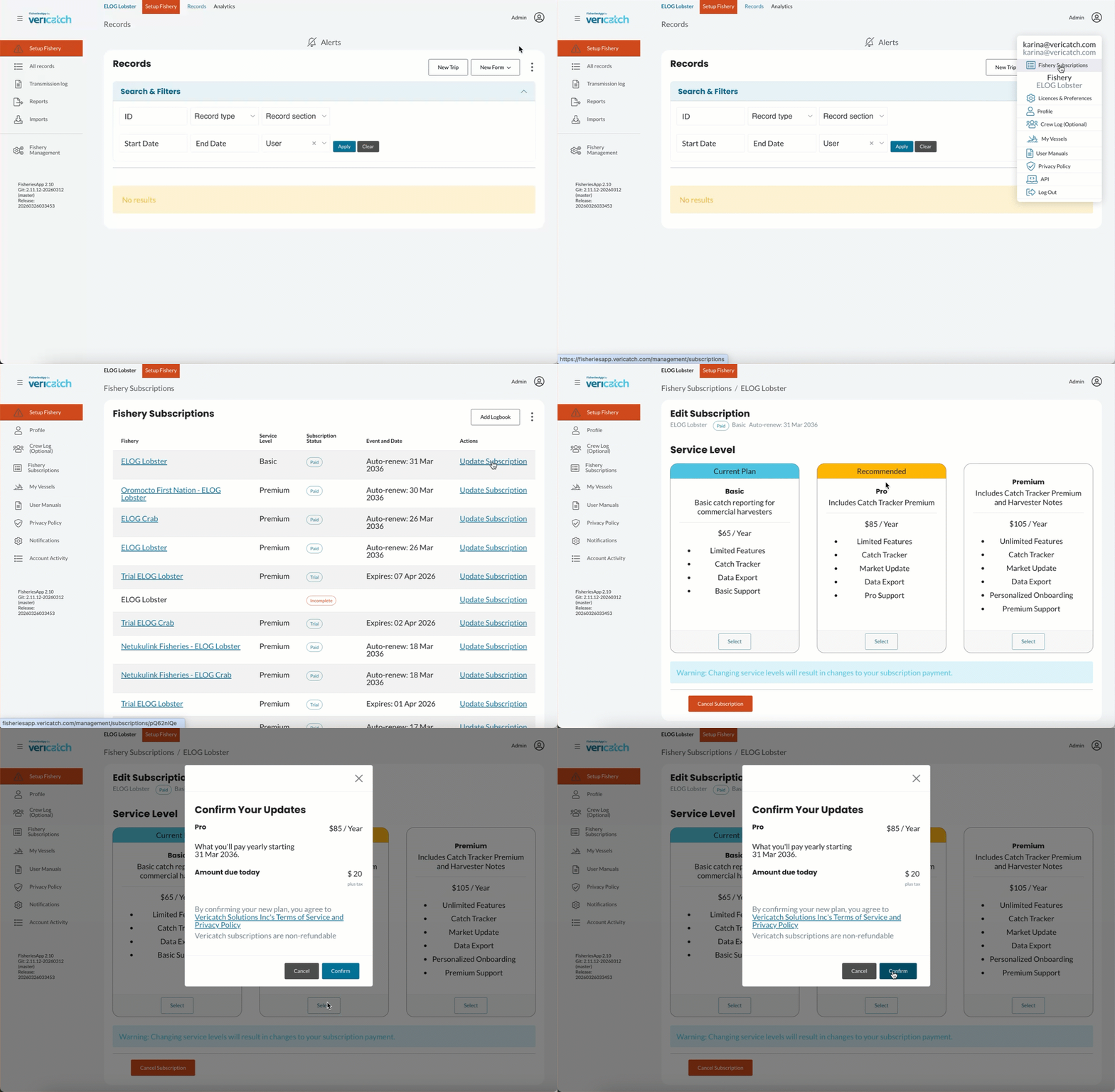
You can change your subscription tier on the web version of our software on your laptop or mobile. You can access the web version via a browser like Chrome, Safari or Firefox but NOT via the mobile app.
Follow the steps below and there’s a handy video as well:
- Log in to FisheriesApp via your browser ( e.g. Chrome, Safari or Firefox)
- Click on the person icon in the top right corner of your browser (see example below)
- Select “Fishery Subscription”
- Click “Update Subscription” for the fishery of your choice
- Choose “Upgrade” or “Downgrade”
- Select your desired tier
- Click “Select”, then “Confirm”